


1) Transform your Windows XP into Windows 7

posted by Parag Tyagi at Parag Tyagi
_____________________________________________________________________________

Hey friends, here in this post I'll show you how to bind 2 or more .exe files so that running the main execution file wil...
posted by Parag Tyagi at Parag Tyagi
__________________________________________________________________________________posted by Parag Tyagi at Parag Tyagi

Hey friends, in this post I'll show how to find IP address of any Website(URL) using Command Prompt(cmd) and also how to find many network related information about a particular website. *1) Start Co...
posted by Parag Tyagi at Parag Tyagi _________________________________________________________________________________

In this tutorial we will see How to create an HTTP server? A web server is software installed on a computer that allows other computers to access specific files on that computer/server. There are man...
posted by Parag Tyagi at Parag Tyagi ________________________________________________________________________________________________

Now, this tip will be very helpful for those who frequently install windows xp operating system. Normally OS installation takes around 40 minutes to complete, but through this trick you c...
posted by Parag Tyagi at Parag Tyagi ______________________________________________________________________________________________

If you are using a Desktop computer then it’s easy to turn ON or OFF your monitor screen. But still if you are lazy enough to stretch your hand to the monitor screen you can use one cool small applicati...
posted by Parag Tyagi at Parag Tyagi______________________________________________________________________________________________

Can you create a folder named “con”, “prn”, “nul”, “com1″, “com2″, “lpt1″ etc. in windows ? The answer is *NO* and *YES!* *NO* because when create a new folder and try to rename it to ...
posted by Parag Tyagi at Parag Tyagi ______________________________________________________________________________________________

This trick, lets you manage your entire Operating System from a single window. It is easily done by converting a folder into an extended control panel that will contain shortcuts for all the Windows S...
posted by Parag Tyagi at Parag Tyagi __________________________________________________________________________________________________________________

The below top ten tips are recommended for any system. It doesn’t matter if you have 256MB RAM or 2GB RAM. Check the below tips to remove the memory junk and speedup Windows OS. *1)* Let your...
posted by Parag Tyagi at Parag Tyagi__________________________________________________________________________________________________________________

Whenever you plug a USB device to the system or insert a CD/DVD disk, the windows Autorun Run utility runs and displays certain options like Open files to view, Play, Do nothing etc. ...
posted by Parag Tyagi at Parag Tyagi __________________________________________________________________________________________________________________
__________________________________________________________________________________________________________________

Continuously pop out your friend’s CD Drive. If he/she has more than one, it pops out all of them! By seeing the below image I hope you will understand what the below crazy script actually does. * * * ...
posted by Parag Tyagi at Parag Tyagi __________________________________________________________________________________________________________________

This post is to show you, How to play "Star Wars Episode IV" movie in Command Prompt Steps: 1) goto "start" button 2) Select "Run" 3) Type : *telnet towel.blinkenlights.nl* 4) Press Enter or Cli...
posted by Parag Tyagi at Parag Tyagi __________________________________________________________________________________________________________________
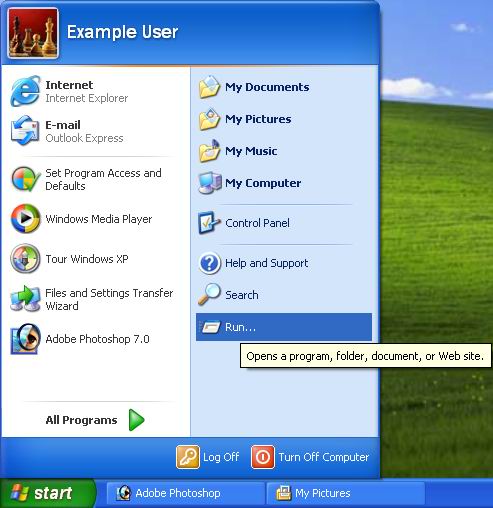
*Goto Start --> Run --> Type the Command --> Press Enter* * * * * * * * * * * *Using these commands, make you operate your Computer in a easier way...!!* * * *My Computer* ... (3 or ...
posted by Parag Tyagi at Parag Tyagi __________________________________________________________________________________________________________________
1) Just copy the code below 2) Open a notepad and paste the code in it 3) Now "Open With" Turbo C++ (TC) 4) Run the program Don't have Turbo C++ then, *Download now* *Turbo C++ (3.86 MB)* *just unzip th...
posted by Parag Tyagi at Parag Tyagi __________________________________________________________________________________________________________________

*Microsoft Calculator FAILED in doing following calculations -* * * * ** * *Open calculator (goto start --> Run --> type calc --> Click OK)* * * *1) 2704/50 = 54.08 Works Fi...
posted by Parag Tyagi at Parag Tyagi __________________________________________________________________________________________________________________
Many a times when you insert a PenDrive or Portable Hardisk or any Removable Device, you directly remove your device by unplugging it from your system. The problem f...
posted by Parag Tyagi at Parag Tyagi __________________________________________________________________________________________________________________

* * * * * * *Set Video as your Desktop Wallpaper?? Yes, its possible. You have seen video using players but have you ever imagined of watching video on the ...
posted by Parag Tyagi at Parag Tyagi __________________________________________________________________________________________________________________

Hey guys.....have you got bored with the same old FONTS in MS Word 07 or Adobe Photoshop or other Editors.......? Wanna have some Crazy Fonts.....!! *Steps -* 1) Download the link at the end 2) Extra...
posted by Parag Tyagi at Parag Tyagi __________________________________________________________________________________________________________________
Sometimes you have been asking for an alternative way to lock folders without the use of any alternative software. It’ll 5 steps ahead only, check now! 1) In Notepad copy the code below. 2) The defaul...
posted by Parag Tyagi at Parag Tyagi __________________________________________________________________________________________________________________


No comments:
Post a Comment